Kids Sketchbook KDP Interior Template: A Practical Guide
If you are looking to publish a children’s sketchbook on Amazon KDP, the Kids Sketchbook KDP Interior Template offers a tested foundation that can save hours of formatting work. This ready-to-use interior package includes multiple page counts, high-resolution files, and editable formats that work directly with Adobe Illustrator. Whether you are a first-time publisher or an experienced creator scaling your product line, understanding how this template works and where it fits best can help you make a more informed decision.
What the Kids Sketchbook KDP Interior Template Actually Includes
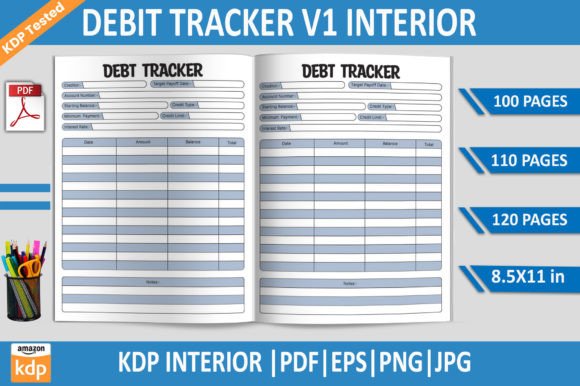
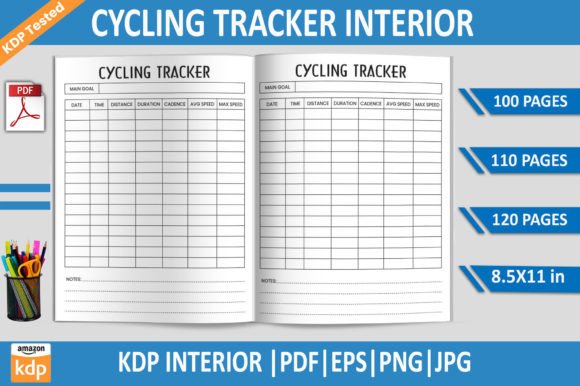
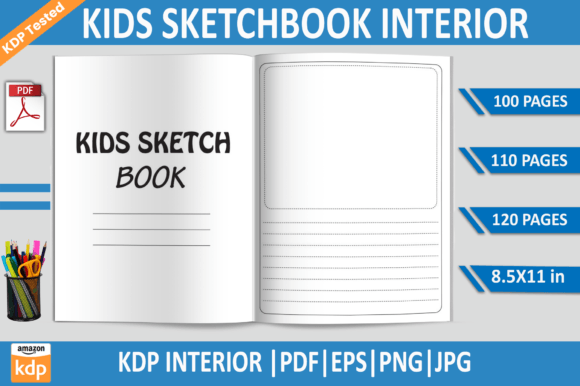
The template comes as a print-ready PDF file for instant download, with additional files in EPS, PNG, and JPG formats. You get three page count options—100, 110, and 120 pages—all at the standard 8.5x11-inch trim size. Each page is built at 300 DPI quality, and the files are tested on Amazon KDP to confirm they meet platform requirements. The interior is designed with no bleed, which simplifies the upload process and avoids common trim issues. Because the template supports Adobe Illustrator, you can open, edit, and customize the pages directly in a vector environment without losing resolution or layout integrity.
This combination of formats means you are not locked into a single workflow. You can work in Illustrator, make adjustments in other design software that supports EPS, or use the high-resolution JPG and PNG files for quick mockups and previews. The transparent background PNG files are especially useful if you want to layer additional elements or test different cover designs without reworking the entire interior.
Why Page Count and Format Flexibility Matter for Your KDP Project
Choosing the right page count for a kids sketchbook depends on your audience and price point. The three options in this template—100, 110, and 120 pages—give you room to test different product tiers without starting from scratch each time. A 100-page sketchbook works well for younger children who may not fill a thick book, while 120 pages can appeal to older kids or parents looking for more value. Having these options in one download reduces the need to purchase multiple templates or manually adjust layouts for different page counts.
The no-bleed specification is another practical advantage. Many KDP interiors require bleed settings to handle printing margins, but a no-bleed sketchbook simplifies the process significantly. You do not need to worry about content being cut off or having to extend background elements beyond the trim line. For a sketchbook where blank space and simple page designs are the norm, no bleed works perfectly and saves time during setup.
How Different Users Can Benefit from This Template
Publishers and entrepreneurs looking to build a series of kids activity books will find the tested PDF particularly useful. Because the files are already validated on Amazon KDP, you skip the trial-and-error phase of checking margins, resolution, and page alignment. This can be a real advantage if you are publishing multiple titles and need consistent formatting across your catalog.
Educators and bloggers who create printable resources for children can also use the template beyond KDP. The editable EPS and high-resolution JPG files allow you to rebrand the interior for classroom use, sell printables on your own site, or include sample pages in blog posts. The transparent PNG files make it easy to add page numbers, decorative borders, or instructional text without altering the original layout.
Freelancers and designers who offer book formatting services to clients can benefit from the template as a starting point. Instead of building a sketchbook interior from scratch, you can customize the page structure, adjust the number of sheets, and deliver a polished product faster. This efficiency can help you take on more projects or offer competitive pricing without sacrificing quality.
Small business owners and marketers who sell niche products on Amazon or Etsy can use the template to test different niches. For example, you could create a dinosaur-themed sketchbook, a space exploration journal, or a simple unlined notebook for drawing practice. The template provides the structural foundation, so your creative energy goes into the theme and cover design rather than page layout mechanics.
File Quality and Print Readability Considerations
At 300 DPI, the template meets the standard print resolution for KDP paperbacks. This means lines, borders, and any design elements on the pages will appear sharp and clear when printed. For a kids sketchbook, where children will be drawing and coloring, clean page presentation matters. If the interior looks blurry or low-resolution in print, it can affect customer reviews and return rates. Starting with a high-resolution template helps avoid that risk.
The inclusion of a tested PDF file is worth noting because KDP has specific rules about PDF version, compression, and embedded fonts. A file that has been tested on the platform is more likely to pass the automated review process without errors. This does not guarantee approval every time, since cover files and metadata also play a role, but it removes one common source of rejection.
Who Might Find This Template Less Suitable
While the template covers many practical needs, it is worth considering a few situations where it may not be the ideal fit. If you need a sketchbook with heavy customization on every page—such as unique prompts, varied line styles, or complex layouts—you may need to invest more editing time. The template provides a consistent page structure, so adding distinct elements to each page requires manual work.
Similarly, if you prefer to work exclusively in software other than Adobe Illustrator, such as Canva or Affinity Publisher, you will want to check compatibility. The EPS and PDF files should open in most professional design tools, but the PNG and JPG files are raster-based and may not offer the same editing flexibility. Testing a sample page in your preferred software before committing to the full template is a good practice.
Publishers targeting very young toddlers may also want to consider heavier paper or different trim sizes, as 8.5x11 inches is a standard letter size and may feel large for small hands. That said, many parents and educators prefer larger pages for drawing, so this size remains a popular choice for children’s sketchbooks.
Practical Recommendations for Getting the Most Out of the Template
Start by opening the editable EPS file in Adobe Illustrator to review the page structure. Familiarize yourself with the layers and grouping so you can make efficient edits. If you plan to release multiple versions, create a master file with your base design and then duplicate it for each page count option. This approach saves time and keeps your files organized.
Use the transparent background PNG files when testing cover mockups or creating promotional images. Because the background is removed, you can overlay the interior pages on different covers or backgrounds without extra editing steps. This is particularly helpful for A+ content on Amazon or for social media previews.
Take advantage of the tested PDF for your first upload. Even if you plan to customize the interior heavily later, uploading the tested version first can help you confirm that your account setup, pricing, and metadata are working correctly. Once you are comfortable with the process, you can replace the interior file with your customized version.
Why This Template Supports a Smoother Publishing Workflow
The combination of multiple page counts, editable formats, and tested quality makes this template a practical choice for anyone publishing a kids sketchbook on KDP. It reduces the repetitive work of page setup and lets you focus on the creative and strategic parts of your project. For busy entrepreneurs, educators, and designers, that efficiency can translate into faster product launches and more consistent quality across a series.
Sketchbooks are a staple in the children’s activity niche, and having a reliable interior template frees you to experiment with themes, cover designs, and marketing angles. The more time you save on formatting, the more energy you can put into understanding your audience and improving your product listings. In a competitive marketplace, small advantages in workflow and quality can add up over time.