Ukulele Chord Diagrams
A ukulele chord diagram is a simple visual tool that shows where to place your fingers on the fretboard to produce a specific chord. At first glance, it looks like a small grid: vertical lines represent the strings, horizontal lines mark the frets, and dots or numbers indicate finger positions. But behind that clean layout lies a system that can accelerate learning, improve teaching, and even support a small publishing business. Understanding what makes a good chord diagram—and what to look for when choosing or creating one—matters whether you are strumming your first C major or preparing a resource for others.
What Makes a Chord Diagram Useful
A chord diagram is only as helpful as its clarity. For a beginner, a diagram that is too small, poorly labeled, or cluttered with extra symbols can cause frustration. For an educator, inconsistent formatting across a set of diagrams can disrupt a lesson plan. For a self-publisher, diagrams that do not meet printing standards can lead to returns or negative reviews. The most effective ukulele chord diagrams share a few key traits: accurate finger placement, clear string and fret labels, proper sizing for the intended medium, and a consistent style throughout a collection.
When you encounter a set of diagrams, the first thing to check is whether the fretboard orientation matches your needs. Most diagrams show the neck vertically, with the nut at the top and the body of the ukulele at the bottom. Strings are usually shown from left to right as G, C, E, A—the standard reentrant tuning. Dots inside the grid mark the fret and string where your finger should go, and sometimes a number tells you which finger to use. A small circle above the nut means the string is played open, while an X means it is muted or not played. These conventions are nearly universal, but minor variations exist, so consistency within a single resource is essential.
Who Benefits from Ukulele Chord Diagrams
Different people interact with chord diagrams in different ways. Recognizing which perspective fits your situation can help you select the right resource or format.
Beginners and Self-Taught Players
If you are just starting out, chord diagrams are your primary roadmap. You do not yet have muscle memory for common shapes, so you rely on the diagram to show exactly where each finger goes. A good beginner diagram includes the chord name clearly at the top, uses large enough dots to see easily, and avoids extraneous details. Beginners often benefit from diagrams that also indicate the fret number, especially for chords that require a barre or a stretch up the neck.
For example, when learning a B-flat chord, a beginner needs to see that the index finger bars across all four strings at the first fret, while the ring finger presses the third fret of the G string. Without a clear barre indication, the diagram can be confusing. If you are teaching yourself, look for a set of diagrams that includes the most common chords first—C, F, G, Am, Em, Dm—then moves to less frequent ones. The order matters less than the clarity and consistency of the visual language.
Music Educators and Workshop Leaders
For teachers, chord diagrams are teaching aids that need to work at a glance. When you are standing in front of a group, you cannot pause to decipher a poorly drawn grid. You need diagrams that are large enough to be seen from a few metres away, or at least consistent enough that students can quickly transfer their understanding from one chord to the next.
Educators also value flexibility. You might want to print a single page of chords for a handout, project a slide during a workshop, or include diagrams in a digital handout that students can access on their phones. In each case, the diagram must remain legible at different sizes and on different screens. A vector-based format—such as AI, EPS, or PDF—gives you the freedom to scale without losing quality. If you are designing your own materials, having an editable source file (like INDD, IDML, or AFPUB) allows you to rearrange, recolor, or annotate diagrams to match your lesson structure.
Content Creators and Self-Publishers
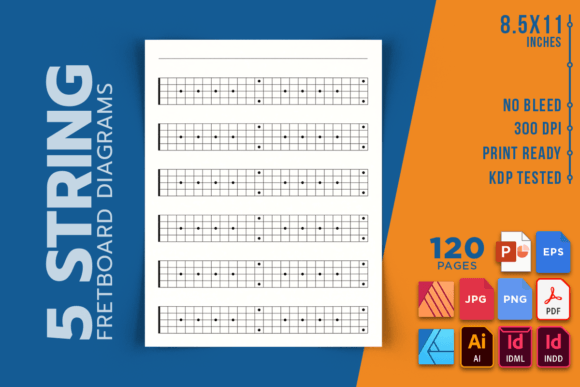
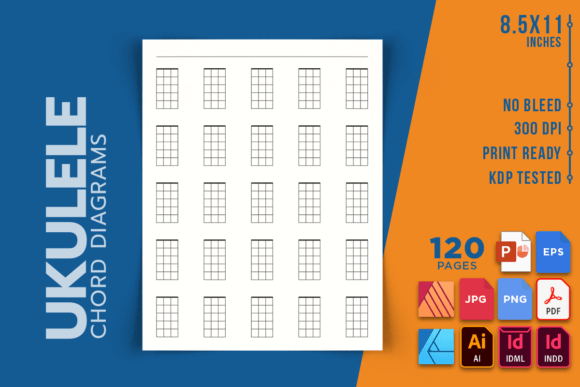
If you are creating a songbook, instructional guide, or chord reference for sale on Amazon KDP or another platform, the quality of your chord diagrams directly affects your product's reception. Readers expect diagrams that are crisp, correctly labeled, and printed at a size that does not strain the eyes. A KDP interior for ukulele chord diagrams typically uses an 8.5 x 11 inch page size, no bleed, and 300 DPI resolution. This ensures that dots, lines, and text reproduce cleanly whether the book is printed at home, in a local shop, or through Amazon's print-on-demand service.
A well-prepared interior file also saves you time. When the chord diagrams are already formatted to the page dimensions and tested for print, you can focus on arranging the content—grouping chords by key, adding strumming patterns, or including song examples. The best resources include an editable source file so you can adjust the order, swap diagrams, or add your own annotations without starting from scratch. For self-publishers, this flexibility is valuable because it lets you repurpose the same diagram set across multiple projects: a beginner chord book, a holiday song collection, or a themed instructional workbook.
Hobbyists and Enthusiasts
Even experienced players who know dozens of chord shapes sometimes need a quick reference. You might be learning a new song that uses a seventh chord you rarely play, or you might want to compare different voicings of the same chord. A comprehensive set of diagrams lets you explore options without reaching for your phone or searching a website. Many hobbyists appreciate having a printed reference on the music stand—something that does not need a battery, does not distract with notifications, and stays open to the page you need.
If you fall into this group, consider what range of chords you actually use. A book with 120 pages of diagrams might include every possible chord across all keys, but you might only need the common major, minor, and seventh shapes. On the other hand, if you play jazz, folk, or experimental music, having access to diminished, augmented, sus4, and add9 chords can spark new ideas. The best resource for a hobbyist is one that matches the depth of your curiosity without overwhelming you with rarely used shapes.
Evaluating Quality in Chord Diagram Resources
When you look at a collection of ukulele chord diagrams, whether as a printed book or a digital file, a few criteria can help you judge its quality. First, check the resolution. If the diagrams look fuzzy, pixelated, or uneven at 100% zoom on screen, they will likely print poorly. Second, examine the consistency of the visual style. All diagrams should use the same line weights, dot sizes, font for chord names, and spacing. Inconsistencies distract the reader and suggest a lack of attention to detail.
Third, verify the chord library. Does it include all the chords you need for your project or learning path? A reference that covers major, minor, seventh, major seventh, minor seventh, diminished, and augmented chords in all keys will serve most users well. Fourth, consider the page count and layout. A 120-page interior gives you room to present one chord per page with plenty of white space, or to group multiple related chords on a single page. The right choice depends on whether you prefer quick scanning or detailed study.
Finally, think about the file format. If you are a creator, editable formats like INDD, IDML, AI, EPS, AFDESIGN, AFPUB, and PPTX let you customize the diagrams. If you are a consumer, a high-quality PDF is usually all you need. Knowing which formats are included helps you decide whether the resource fits your workflow.
Practical Applications Across Different Projects
Ukulele chord diagrams can be used in more ways than you might initially consider. A teacher might print a single page of twelve chords and laminate it for classroom use. A songwriter might keep a diagram book open while composing to quickly test different chord progressions. A self-publisher might combine chord diagrams with tablature, lyrics, and strumming patterns to create a complete songbook. A content creator might use the diagrams as visual assets in a video course or blog post.
Each application places different demands on the diagram set. For print use, high resolution and no-bleed formatting are critical. For digital use, vector formats ensure the diagrams stay sharp on any screen size. For reuse across multiple projects, having an editable master file saves hours of rework. Before you invest time or money in a chord diagram resource, list your primary use cases and match them against the features offered.
Choosing the Right Resource for Your Goals
No single set of ukulele chord diagrams works perfectly for everyone. A beginner needs simplicity and a limited set of core chords. An educator needs flexibility, scalability, and consistency. A self-publisher needs print-ready quality and editable source files. A hobbyist needs depth and a format that fits their personal practice style.
If your goal is to learn the instrument, prioritize diagrams that are large, clearly labeled, and grouped in a logical order. If your goal is to teach, look for diagrams that can be resized without loss and that include all variations your students might encounter. If your goal is to publish, focus on file quality, KDP compatibility, and the ability to customize the interior. If your goal is simply to enjoy playing with a reliable reference, choose a resource that feels comfortable to hold and easy to navigate.
By understanding what each audience values, you can make a choice that saves time, reduces frustration, and supports whatever musical path you are on. Whether you are picking up a ukulele for the first time or preparing your tenth instructional book, the right chord diagrams make the difference between a tool that gathers dust and one that gets used every day.