The Complete Guide to Choosing and Using a Toddler Report Book for KDP Self-Publishing
When you decide to self-publish a toddler milestone or progress tracker for Amazon KDP, the interior design is just as important as the cover. A well-structured Toddler Report Book provides dedicated pages for recording developmental milestones, daily routines, behavioral notes, and memorable moments during the toddler years. Many creators, educators, and parents-turned-publishers are drawn to this niche because it serves a clear, practical need. However, the gap between a good idea and a polished, profitable product often comes down to how well you select and implement your interior template.
The Toddler Report Book KDP Interior option available in many design marketplaces promises a finished, print-ready product. But simply downloading a file and uploading it to KDP rarely leads to a successful book. There are pitfalls that can affect your formatting, file compatibility, print quality, and ultimately your customer satisfaction. This guide walks through the most common mistakes and shows you how to avoid them, so your project launches smoothly and performs well.
Understanding the Toddler Report Book Interior
At its core, a Toddler Report Book is a guided journal or logbook designed for caregivers to track a young child's growth and daily experiences. Pages typically include fields for date, weight, height, new words learned, foods tried, sleep patterns, and notable behaviors. When packaged as a KDP interior, it becomes a downloadable template that you can customize, format, and publish as a paperback or hardcover book on Amazon.
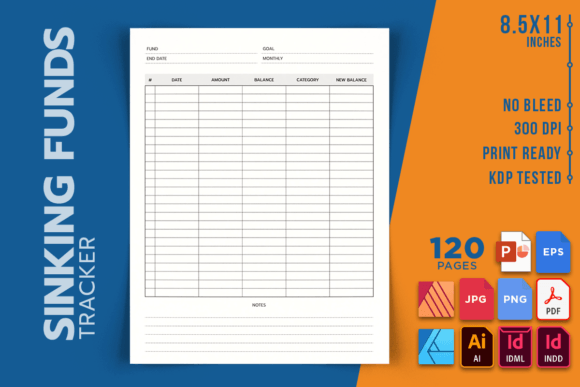
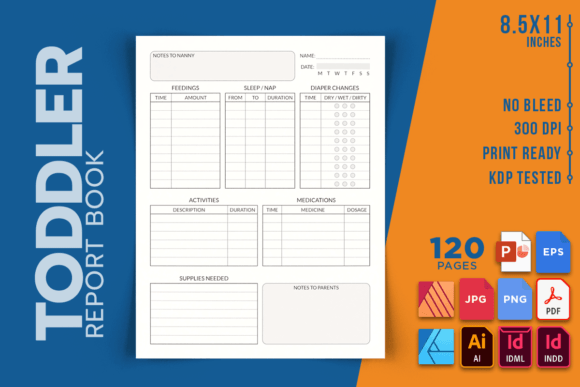
What makes this particular product appealing is its pre-built structure. Instead of designing every page from scratch, you receive a complete set of pages—often 120 pages—with consistent layout, proper margins, and print-ready specifications. The dimensions (8.5 x 11 inches), 300 DPI resolution, and no-bleed setup mean the file is technically optimized for Amazon's printing requirements. But technical specs alone do not guarantee a professional result. You still need to understand how to use the template correctly.
Mistake 1: Overlooking the "No Bleed" Requirement
One of the first details you notice about this particular interior is that it specifies No Bleed. For many beginners, the difference between bleed and no bleed is confusing. A bleed setting extends background colors or images beyond the trim edge to prevent white borders after cutting. A no-bleed interior keeps all content within the safe margin area. If you plan to add full-page background colors or decorative borders to your Toddler Report Book, a no-bleed template will cause white edges to appear on the final printed page.
Check your design intent before you commit. If you want a clean, minimalist layout without edge-to-edge color, no-bleed works perfectly. If you envision illustrated backgrounds, full-color borders, or decorative frames, you need a bleed version instead. Using the wrong bleed setting can result in Amazon rejecting your file or producing a book with uneven white margins that disappoint buyers.
Mistake 2: Ignoring the Editable Source File Options
The product listing mentions multiple file types: INDD, IDML, AI, PDF, PNG, JPEG, EPS, AFDESIGN, AFPUB, and PPTX. Many buyers assume they can simply upload the PDF and be done. That is technically true—the high-quality PDF is KDP-ready. However, if you skip exploring the editable source files, you lose the ability to customize page layouts, change font styles, adjust field sizes, or add your own branding.
For example, imagine you want to rename a section from "Daily Notes" to "Mom's Observations" or add an extra field for "Number of Steps Taken." With the PDF alone, you cannot make those changes without advanced PDF editing software. The editable source files—especially the INDD (Adobe InDesign), AI (Adobe Illustrator), or PPTX (PowerPoint)—let you make those adjustments quickly. Even if you are not a professional designer, opening the PPTX file in PowerPoint offers a low-barrier entry to personalization.
Take time to understand which file format works best for your skill level and available software. Download the source file that matches your tools, or at least keep the PPTX version handy for quick edits.
Mistake 3: Assuming 120 Pages Is the Final Count
The interior includes 120 pages. That sounds straightforward, but Amazon KDP counts each side of a sheet as a separate page. A 120-page book means 60 physical sheets of paper. This number influences your printing cost, your royalty calculations, and whether your book falls into an attractive price tier. Some new publishers add extra section dividers, an "About the Author" page, or a second title page without realizing they are pushing the page count higher.
Before you add or remove any pages, calculate the total page count in your final file. If you need exactly 120 pages, avoid inserting extra blank pages or duplicated content. If you want a different page count, plan for increments that align with Amazon's printing constraints—typically multiples of 2 for PAPERBACK interior files. Use the editable source file to add or remove pages cleanly rather than editing the PDF manually.
Verify Dimensions and DPI Before Uploading
The product states dimensions of 8.5 x 11 inches at 300 DPI. These are standard for KDP paperback interiors. But do not assume your downloaded file automatically matches. Open the file in your chosen software and confirm the document settings. Sometimes template files can become corrupted or incorrectly configured during download. Checking the dimensions, resolution, and color mode (RGB vs. CMYK) prevents rejection during KDP's automated review process.
For print-on-demand, Amazon accepts both RGB and CMYK, but CMYK typically produces more predictable color results. If you plan to print the book at home or a local print shop, verify their requirements separately. The 300 DPI standard ensures crisp text and images, but if you add any raster graphics from external sources, check their resolution too. Low-resolution images will look pixelated at this print size.
Customize the Content for Your Target Audience
The Toddler Report Book template likely uses generic section headers like "Date," "Activity," and "Notes." While functional, these labels may not resonate with your specific audience. Parents looking for a memory book for their 18-month-old differ from daycare providers tracking multiple children or early childhood educators documenting milestones for developmental reports.
Use the editable source file to tailor the language. For a parent audience, replace "Observation" with "Sweet Moment" or "Today's Surprise." For professional use, add fields for "Time Observed," "Caregiver Initials," or "Developmental Domain." Each small customization increases the perceived value of your book and helps it stand out in Amazon search results.
Test the Layout with Real Content
Before uploading to KDP, fill out a few sample pages yourself using realistic toddler information. This test reveals formatting issues that are invisible when the pages are blank. Text fields may be too small for handwriting, alignment may shift after printing, or heading fonts may clash with your personal style. Printing a test page at home—even on plain paper—shows you how the layout functions in real use.
If you find that a field for "Word Count" is too narrow for parents who want to write multiple examples, widen it in the source file. If the font size for prompts feels too small for easy reading, increase it. The Toddler Report Book KDP Interior gives you a strong foundation, but fine-tuning based on real testing prevents negative reviews from customers who find the layout impractical.
What to Check Before Making Your Final Decision
Before you commit to using this specific interior template, evaluate a few key factors that affect both your workflow and your final product quality.
Software compatibility: If you do not own Adobe InDesign or Affinity Publisher, choose the PPTX version. It works in Microsoft PowerPoint and Google Slides, though formatting may shift slightly between platforms. Always export to PDF from the same software you used for edits to maintain consistency.
Licensing and usage rights: Confirm that the template license allows commercial use, including selling on Amazon KDP. Most templates designed for KDP interior use permit this, but double-check the terms. Some restrict resale of the template itself as a standalone product.
Cover integration: The listing clearly states "INTERIOR only, you have to make your own covers." Plan your cover design separately. Ensure your cover dimensions match the interior trim size (8.5 x 11 inches) and that the spine width corresponds to your final page count. A mismatch between cover and interior can prevent Amazon from accepting your book.
File backup: Keep a backup of every file type you download. The editable source files are your insurance policy if you need to revise the book later. Store them in a cloud drive or external disk so you can update the book for new editions or corrected editions without starting from scratch.
Making the Most of Your Toddler Report Book Project
Publishing a Toddler Report Book on KDP can be a rewarding project that serves a genuinely helpful purpose. Parents and caregivers are always looking for structured ways to document the whirlwind of early childhood. A clean, well-organized interior makes their experience simple and enjoyable, which leads to better reviews and repeat customers.
Avoid the temptation to rush the process. Many self-publishers treat an interior template as a plug-and-play solution and only realize the problems after they receive a proof copy or worse, after customers complain. Examine the bleed setting, test your customization options, verify your page count, and confirm your software compatibility before you publish.
By treating the Toddler Report Book KDP Interior as a starting point rather than a finished product, you retain control over the quality and usability of your book. Edit thoughtfully, test thoroughly, and upload with confidence. The result will be a product that looks professional, functions well, and meets the real needs of your audience.
Whether you are a first-time KDP publisher or an experienced creator adding to your catalog, taking these steps ensures that your toddler report book is not just another listing—it is a tool that families will reach for again and again. Invest the time upfront, and your effort will show on every printed page.